
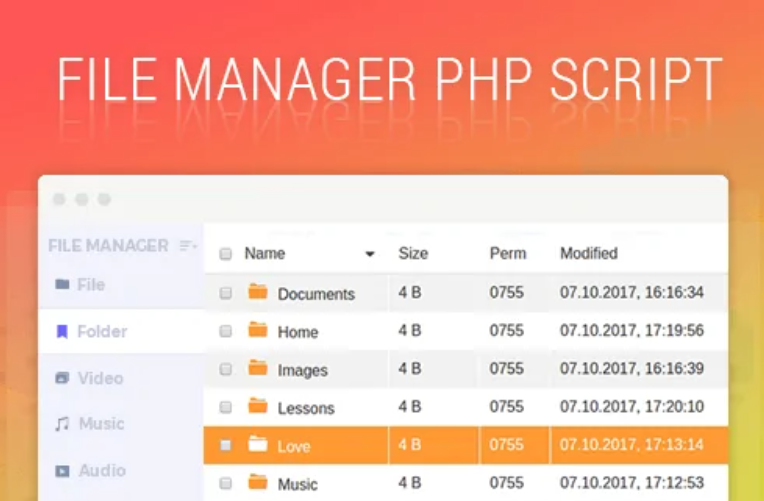
Tiny File Manager
TinyFileManager is web based file manager and it is a simple, fast and small file manager with a single file, multi-language ready web application for storing, uploading, editing and managing files and folders online via web browser. The Application runs on PHP 5.5+, It allows the creation of multiple users and each user can have its own directory and a build-in support for managing text files with cloud9 IDE and it supports syntax highlighting for over 150+ languages and over 35+ themes.
Download
https://github.com/prasathmani/tinyfilemanager
Demo
Login Details : admin/admin@123 | user/12345
Documentation
Tinyfilemanager is highly documented on the wiki pages.

Requirements
- PHP 5.5.0 or higher.
- Fileinfo, iconv, zip, tar and mbstring extensions are strongly recommended.
How to use
Download ZIP with latest version from master branch.
Just copy the tinyfilemanager.php to your webspace – thats all 🙂 You can also change the file name from “tinyfilemanager.php” to something else, you know what i meant for.
Default username/password: admin/admin@123 and user/12345.
⚠️ Warning: Please set your own username and password in $auth_users before use. password is encrypted with password_hash(). to generate new password hash here
To enable/disable authentication set $use_auth to true or false.
ℹ️ Rename the config-sample.php file into config.php to use configuration, it is an additional configuration file, Feel free to remove completely this file and configure “tinyfilemanager.php” as a single file application.
📢 Features
- 💿 Open Source, light and extremely simple
- 📱 Mobile friendly view for touch devices
- ℹ️ Basic features likes Create, Delete, Modify, View, Quick Preview, Download, Copy and Move files
- ⏫ Ajax Upload, Ability to drag & drop, upload from URL, multiple files upload with file extensions filter
- 📁 Ability to create folders and files
- 🎁 Ability to compress, extract files (
zip,tar) - 😎 Support user permissions – based on session and each user root folder mapping
- 💾 Copy direct file URL
- ✏️ Cloud9 IDE – Syntax highlighting for over
150+languages, Over35+themes with your favorite programming style - 📄 Google/Microsoft doc viewer helps you preview
PDF/DOC/XLS/PPT/etc. 25 MB can be previewed with the Google Drive viewer - ⚡ Backup files and IP blacklist and whitelist
- 🔎 Search – Search and filter files using
datatable js - 📁 Exclude folders and files from listing
- 🌐 Multi-language(20+) support and for translations
translation.jsonis file required - ‼️ lots more…
Deploy by Docker
Make sure you have already installed docker, Install reference
Notice: Your need an absolute path, and it will be served by tinyfilemanager.
If you want to serve this project at raspberry pi or another special platform, you can download project and build image by yourself.
You can execute this following commands:
$ docker run -d -v /absolute/path:/var/www/html/data -p 80:80 --restart=always --name tinyfilemanager tinyfilemanager/tinyfilemanager:master
$ docker ps
CONTAINER ID   IMAGE                                COMMAND                  CREATED         STATUS         PORTS                                       NAMES
648dfba9c0ff   tinyfilemanager/tinyfilemanager:master   "docker-php-entrypoi…"   4 minutes ago   Up 4 minutes   0.0.0.0:80->80/tcp, :::80->80/tcp           tinyfilemanager
Access http://127.0.0.1/ and enter default username and password, then enjoy it.
DockerHub: https://hub.docker.com/r/tinyfilemanager/tinyfilemanager
How to change config within docker
Important!!! First, you can copy config-sample.php to config.php, and must modify this following config
Origin:
// Root path for file manager
// use absolute path of directory i.e: '/var/www/folder' or $_SERVER['DOCUMENT_ROOT'].'/folder'
$root_path = $_SERVER['DOCUMENT_ROOT'];

// Root url for links in file manager.Relative to $http_host. Variants: '', 'path/to/subfolder'
// Will not working if $root_path will be outside of server document root
$root_url = '';
Modified:
// Root path for file manager
// use absolute path of directory i.e: '/var/www/folder' or $_SERVER['DOCUMENT_ROOT'].'/folder'
$root_path = $_SERVER['DOCUMENT_ROOT'].'/data';

// Root url for links in file manager.Relative to $http_host. Variants: '', 'path/to/subfolder'
// Will not working if $root_path will be outside of server document root
$root_url = 'data/';
Then, change another config what you want, and add a new volume -v /absolute/path/config.php:/var/www/html/config.php in docker run command, like this:
$ docker run -d -v /absolute/path:/var/www/html/data -v /absolute/path/config.php:/var/www/html/config.php -p 80:80 --restart=always --name tinyfilemanager tinyfilemanager/tinyfilemanager:master
Stop running
If you want to stop a running docker service, or you want to restart a service, you should stop it first, or you got docker: Error response from daemon: Conflict. The container name "/tinyfilemanager" is already in use by container ... problem. You can execute this command:
$ docker rm -f tinyfilemanager
License, Credit
- Available under the GNU license
- Original concept and development by github.com/alexantr/filemanager
- CDN Used – jQuery, Bootstrap, Font Awesome, Highlight js, ace js, DropZone js, ekko-lightbox js, and DataTable js
- To report a bug or request a feature, please file an issue
- Contributors